In the world of short-term rentals, what your guests think about their stay in your property plays a critical role in the success of your business. Most bookings are influenced by positive reviews and their overall score, showcasing the essential role reviews play in guest decision-making and booking conversions. Platforms like Vrbo have revolutionized how we book vacations, and at the heart of this transformation is the power of guest reviews and the trust they create.
Getting feedback isn’t always a breeze, but the more reviews you have, the more likely potential guests will trust you. You can aim for those glowing 5-star reviews by understanding what you can do better. Explore why reviews matter and learn strategies for achieving the best ratings!
Why Reviews Matter for Your Short-Term Rental Business
1. Builds Trust and Credibility
In an industry where guests often rely on online platforms to choose their accommodations, reviews serve as a critical trust signal. When potential guests see positive reviews, they are more likely to feel confident in booking your property. High ratings and positive feedback show that past guests had great experiences, which can strongly influence new guests to book your place.
2. Boosts Visibility and Bookings
Algorithms on platforms like Vrbo take into account the quality and quantity of reviews when determining search rankings. Properties with better reviews tend to appear higher in search results, making them more visible to potential guests. This boost in visibility can lead to more bookings since guests are more likely to choose properties that are highly rated and have lots of reviews.
3. Enhances Guest Experience and Feedback
Reviews are a valuable source of feedback that can help you improve your property and service. Guests often highlight specific aspects of their stay that they enjoyed or areas where you could improve. By listening to this feedback, you can make the needed changes to improve the guest experience, leading to even better reviews in the future.
Now that we understand why reviews are so important for your business, let’s explore some tips on how to get the best ratings!
Tips for Getting 5-Star Reviews
Getting 5-star reviews is more than just offering a nice place to stay. It’s about creating an exceptional experience that leaves a lasting impression on your guests.
Offering tips and recommendations on local activities, providing a takeaway breakfast for guests with early flights, or simply sharing a smile and engaging in conversation can help you stand out from the competition. When guests share these positive experiences online, it can significantly boost your reputation. Here are five tips to help you do just that:
1. Provide Exceptional Customer Service
From the moment guests inquire about your property to the time they check out, make sure you offer prompt, friendly, and helpful communication. Quickly address any questions or concerns they have. Adding personal touches, like a welcome message or local recommendations, can make guests feel valued and appreciated.
2. Ensure Cleanliness and Maintenance
Cleanliness is key to guest satisfaction. Make sure your property is spotless before each guest arrives. Regularly check and maintain all appliances, furniture, and amenities to ensure everything is in good working order. A well-maintained property not only meets but exceeds guest expectations. Sometimes, a broken remote or a burned-out bulb you didn’t notice can be a dealbreaker. However, if one guest informs you about it, you have the chance to fix it before the next guest arrives!
3. Accurate and Detailed Listings
Honesty is key. Ensure that your property listing accurately reflects what guests will find when they arrive. Include high-quality photos, detailed descriptions, and a comprehensive list of amenities. Clear and accurate listings prevent misunderstandings and ensure that guests know exactly what to expect, leading to positive reviews. Click here to learn more about listing on VRBO.
4. Offer Thoughtful Amenities and Extras
Small touches can make a big difference. Consider providing amenities like complimentary toiletries, a well-stocked kitchen, or local snacks and drinks. Thoughtful extras, like board games, books, or info about local attractions, can enhance the guest experience and help you earn those extra points in reviews.
5. Request Feedback and Reviews
Don’t hesitate to ask for reviews. After their stay, send a polite message thanking your guests for choosing your property and kindly ask them to leave a review. Make it easy by providing direct links to the review section. Guests who had a positive experience are usually happy to share their feedback. Most guests already know how important reviews are for businesses—they likely read yours before booking the property! However, they might still need a gentle reminder to leave a new review.
Guest reviews on Vrbo are more than just feedback—they’re a powerful tool for building trust, increasing visibility, and enhancing the guest experience. By focusing on exceptional customer service, cleanliness, accurate listings, thoughtful amenities, and proactively seeking feedback, you can secure those 5-star reviews that boost your short-term rental business.
The Best Way to Manage Your VRBO Reviews
Managing reviews across multiple platforms can be tricky, with Rentals United, you can access all your Vrbo reviews in one place, making it easier to monitor and respond to feedback.
Here are some key benefits of using Rentals United for Vrbo guest reviews:
- Streamlined Process: You can now easily leave and manage guest reviews without the need to log in to Vrbo separately.
- Time Savings: Spend less time managing guest reviews and more time focusing on providing exceptional guest experiences.
- Increased Visibility: By leveraging the power of guest reviews, you can boost your rental’s visibility and bookings.
How it works:
Vrbo accepts that both the host and guest can review the stay first. More importantly, the first reviewer has up to 365 days after the check-out day to start the review process. The second reviewer has only 14 days to respond. If the review period passes, the second reviewer will not be allowed to submit the response anymore.
- Log in to your Rentals United account.
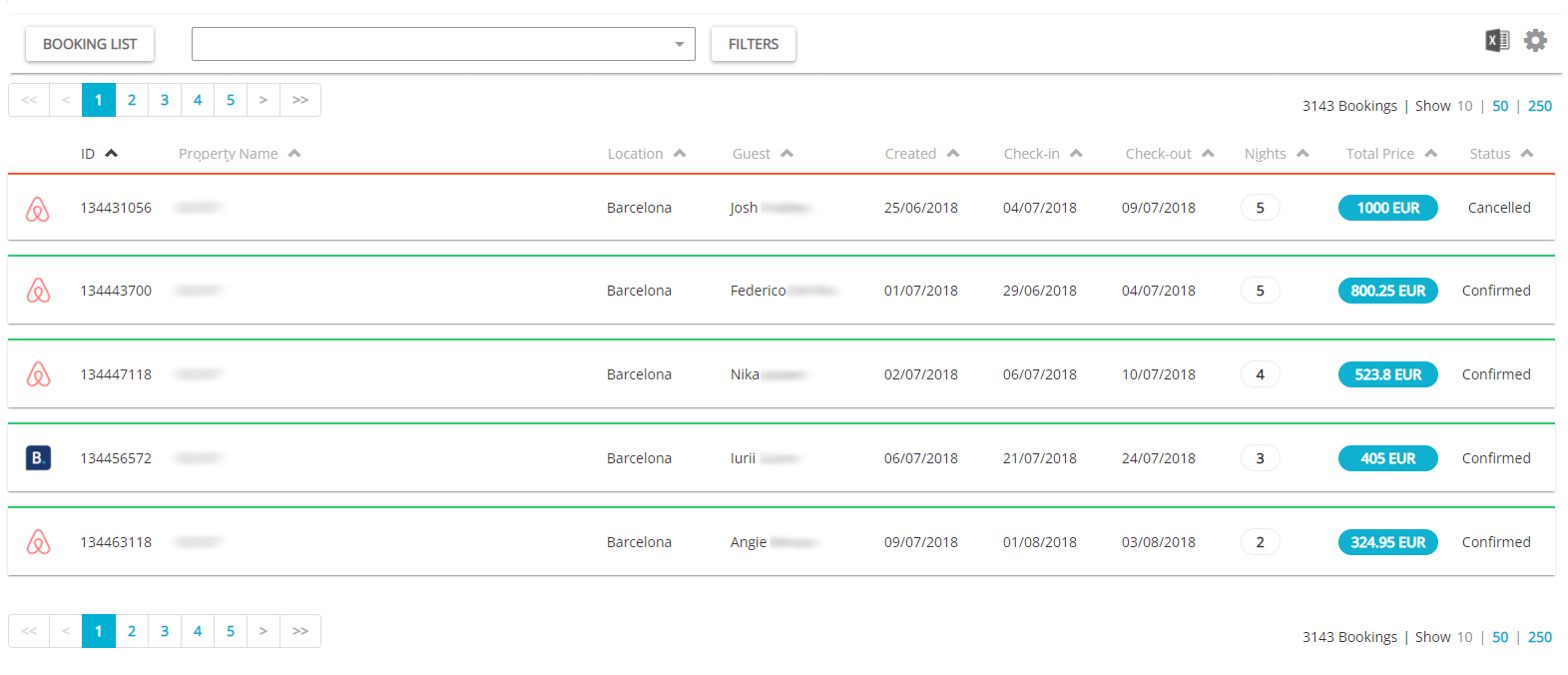
- Go to Guest Planner. You will see a list of reservations made via all the different channels you are connected to.

- Click the Vrbo reservation that has ended recently. Guest Reviews are available only after the reservation has ended and come as separate threads. You will see a notification once you can write a review.

- Easily leave and manage a guest review without the need to log in to Vrbo separately.
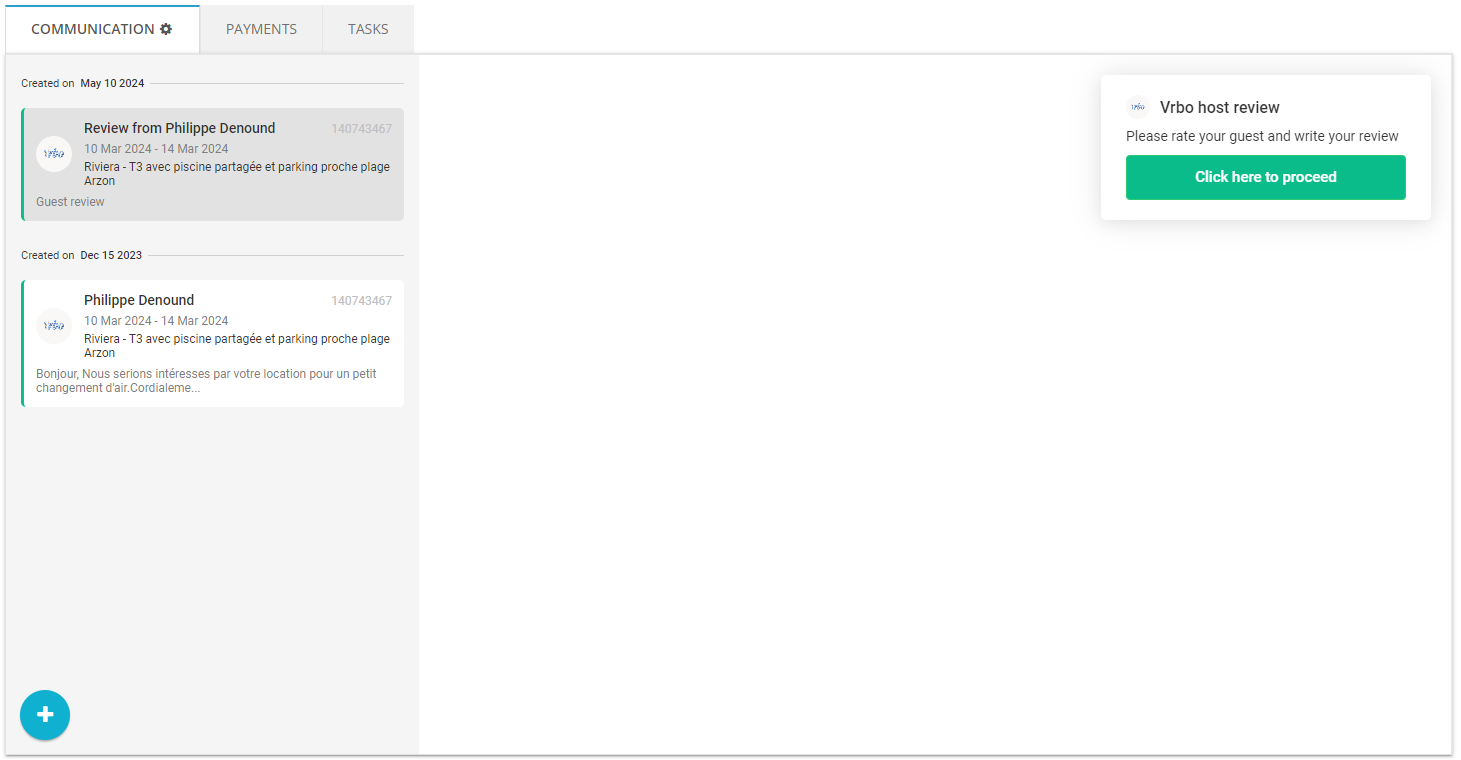
- Rate your guest. Click Submit to send it.

- Wait till the guest review appears.

- If you want to clarify anything, you can still respond to the review without any time limits.

- VRBO reviews are also available via Rentals United API. Click here to learn more about it.
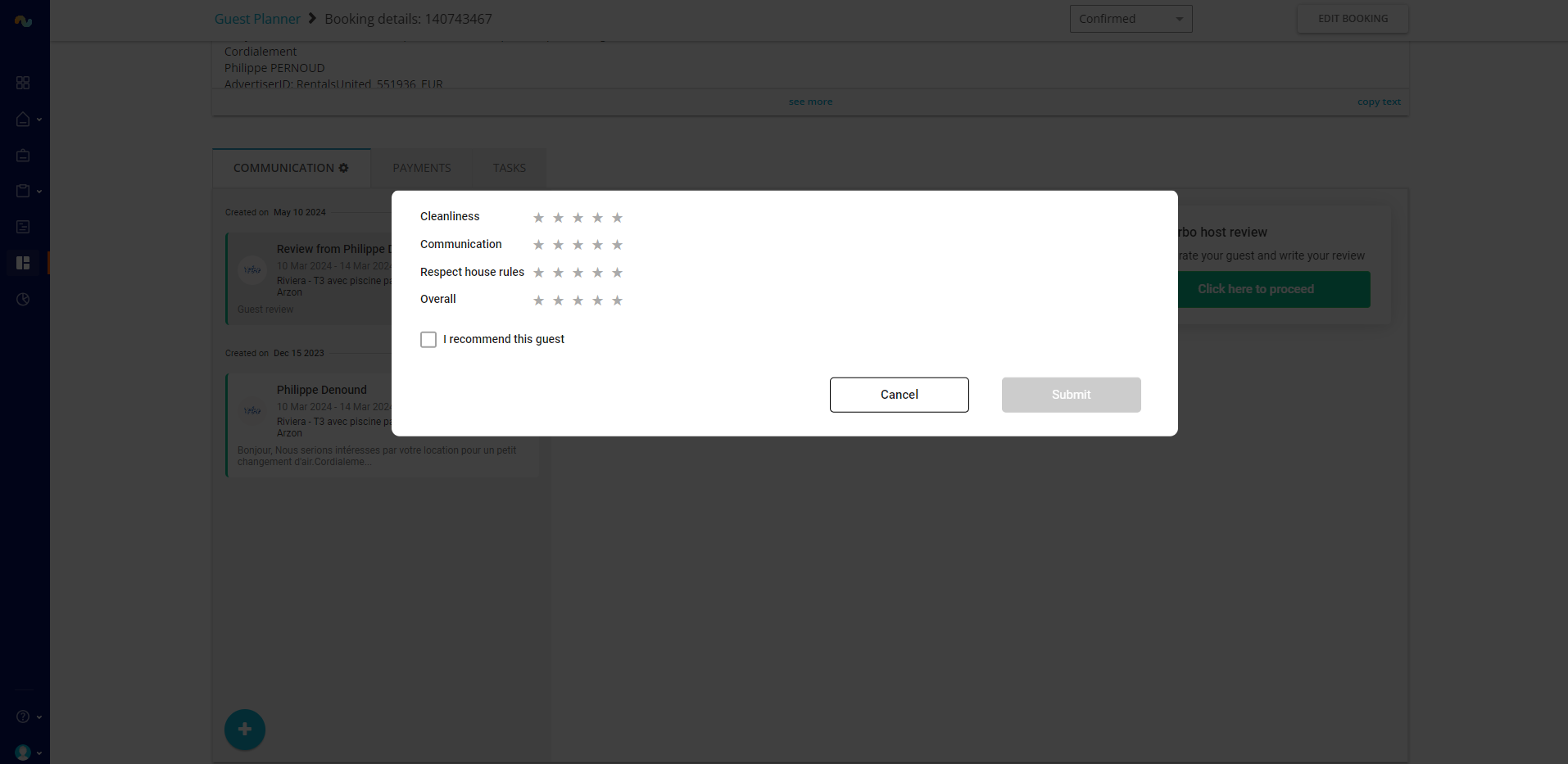
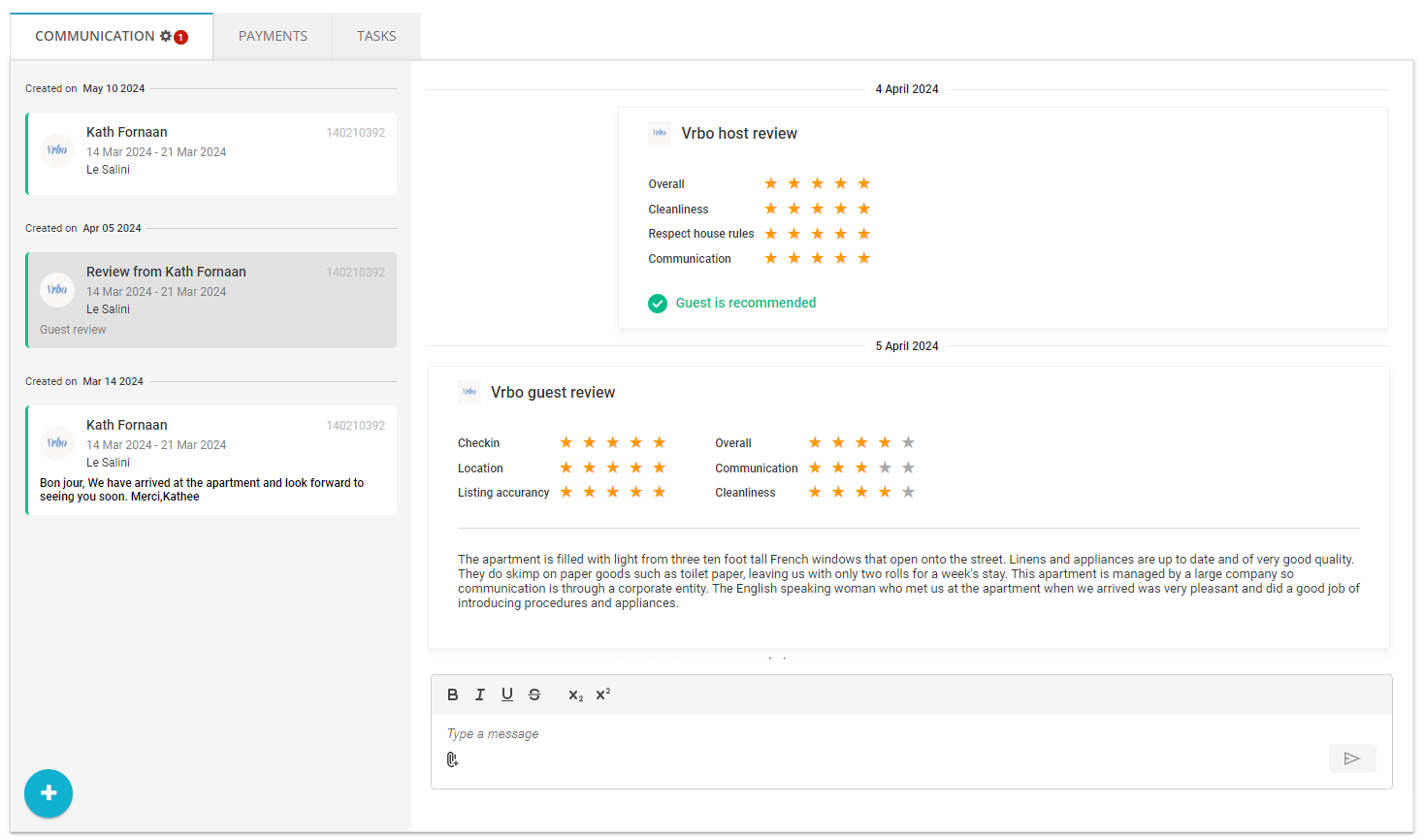
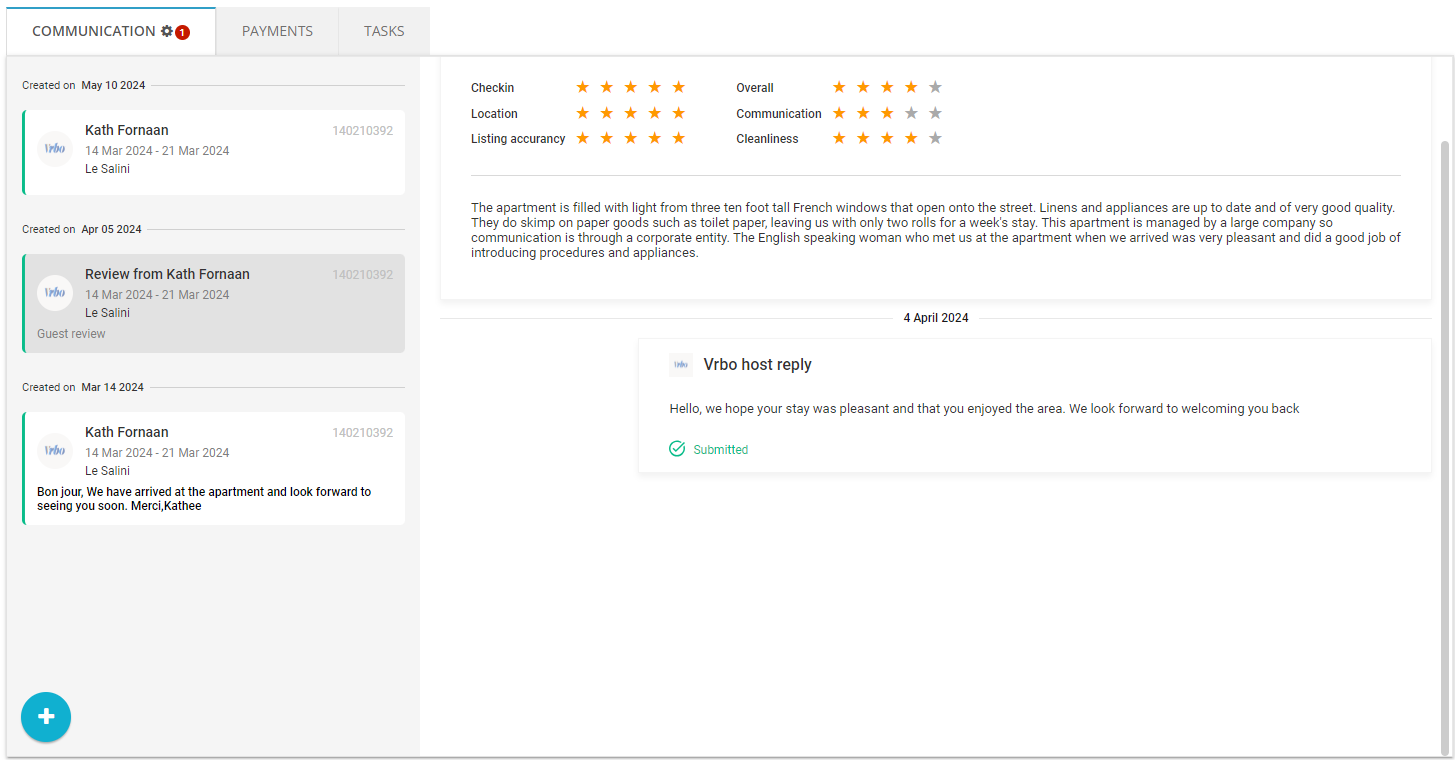
Manage reviews from 3 channels in one platform!
Rentals United supports Airbnb and Airbnb 1-click automated reviews, as well as Booking.com reviews.