


If you’re looking to create a professional vacation rental website, you’re in the right place.
Building a professional website that turns visitors into paying guests can be a complex and costly endeavor, requiring technical development and SEO expertise. However, a custom site allows you to showcase your properties on your own terms, build trust with repeat guests, and secure commission-free bookings without redirecting visitors to other platforms.
Importantly, building a website no longer has to mean hiring developers. Instead you can use website builders designed specifically for short-term rentals, to create a professional booking site of your own.
In this guide, we’ll explain how to do this step by step, using Rentals United’s Website Builder as a practical example of how the process works, and how to build your own brand webiste with a booking engine.
Let’s dive in.
Why having your own website matters
First, let’s clarify; having your own website doesn’t mean abandoning OTAs. For most property managers, platforms like Airbnb and Booking.com remain an important part of the distribution mix. However, a website gives you an additional channel that you fully control.
A direct website helps you build brand credibility, particularly for professional portfolios. Guests can learn more about who you are, browse all your properties in one place, and book without being redirected to third-party platforms.
Over time, this supports repeat bookings, which can become a reliable and significant portion of your overall revenue.
Think about it – let’s say a guest has a really good experience at one of your properties in Lisbon. The apartment was clean and stylish, the guest messaging was clear and responsive, and you went out of your way to recommend local events and activities that they may not have found through usual tourist information outlets. For their next trip, they want to visit Seville. You have an apartment available in Seville, but when they search for listings on Airbnb or Booking.com, it does not necessarily appear high up in the rankings for them to book, before they find something else that they’re happy with.
Alternatively, if you have all your listings easily viewable on a branded, easily navigable website with clear descriptions and nice professional photos, then this essentially works as a business card that you can give to satisfied guests at the end of their stay.
How to make a vacation rental website in 12 steps
Step 1: Clarify the purpose of your website
Before building anything, decide what role your website will play. Is it primarily for direct bookings, brand credibility, or both? Clarifying this early helps guide decisions about content, layout and messaging.
Step 2: Prepare your property content
Your website will reflect the quality of your listings. Make sure your property descriptions, photos, amenities and policies are complete and up to date within Rentals United. Listings that meet content requirements can be published to the website more smoothly.
Step 3: Access the Website Builder in Rentals United
Log into Rentals United and navigate to the Services section. Search for “My Website” and follow the Connection Wizard to begin setup. This process creates the foundation of your site.
Step 4: Choose your website address
During setup, you’ll select a subdomain on thepowerbooking.com. This gives you a live website address straight away. If you later want to use your own custom domain, you can upgrade once everything is running smoothly.
Step 5: Log into the website backend
Once the site is created, Rentals United generates login credentials for the WordPress admin area. Accessing the backend allows you to review your site, update settings and manage content.
Step 6: Review imported listings
Inside the website settings, you’ll see your properties listed as Active or Pending. Pending listings usually indicate missing content. Complete these details in Rentals United, then publish them to your website.
Step 7: Check booking and availability settings
Confirm that pricing, availability and booking rules are correct. Because the website connects directly to Rentals United, this step ensures that direct bookings follow the same logic as your OTA listings.
Step 8: Set up secure payments
Connect Stripe or your chosen payment provider to accept guest payments. Ensure SSL requirements are met so that data exchanges between your website and Rentals United are secure.
Step 9: Customize key pages
Edit core pages such as About Us and Contact. These pages help establish trust and legitimacy, especially for guests booking directly for the first time. Make sure contact forms and email delivery are correctly configured.
Step 10: Add optional custom pages
You can add pages for services, local attractions, FAQs or policies using built-in templates. These pages help answer common guest questions and enhance the overall experience. They are also good places to showcase your brand values and personality.
Step 11: Connect a custom domain (optional)
If you want your website to live on your own domain, follow Rentals United’s guidance for DNS and SSL configuration. This step is optional, but many managers choose it for branding consistency.
Step 12: Test and launch
Before promoting your site, make test bookings. This is very important to check confirmations, payment flows and calendar updates. Once everything works as expected, your vacation rental website is ready to go live.
Rentals United’s Website Builder
Rentals United offers a Website Builder add-on, designed specifically for vacation rental property managers. Rather than acting as a standalone tool, it works alongside the Rentals United platform and channel manager.
The Website Builder allows you to publish a professional booking website using a ready-made structure that pulls in existing listing content. Direct bookings made on the website are synchronized back into Rentals United, keeping calendars aligned across OTAs and other channels.
The bottom line? By adding a website into the same ecosystem that already manages your distribution, you can introduce direct bookings without creating new operational risks.
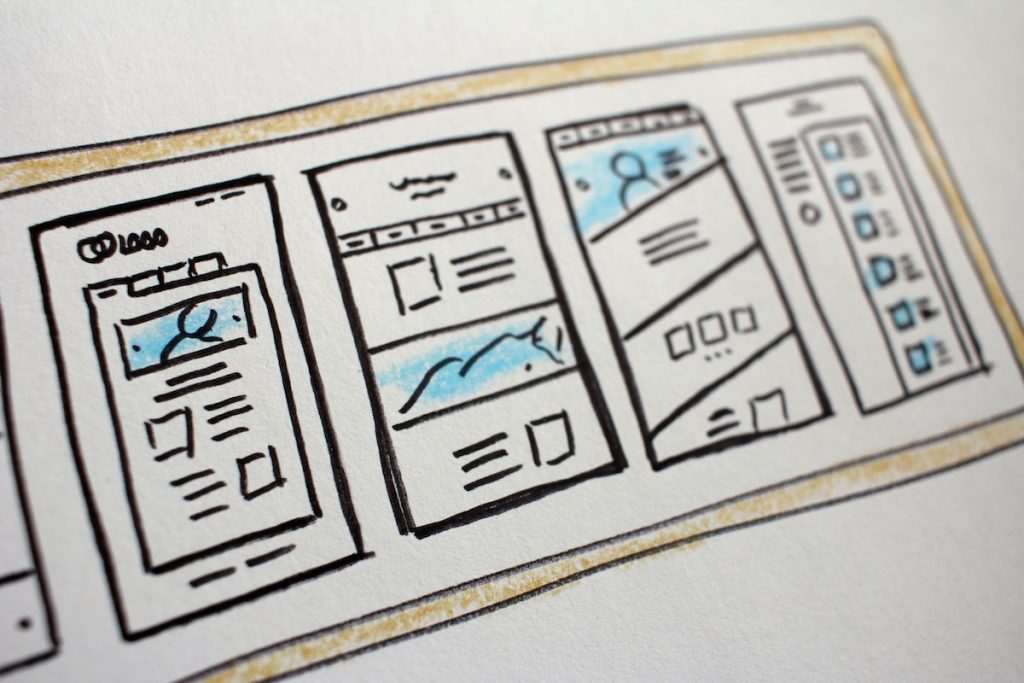
What can Rentals United’s Website Builder do?
- Enable commission-free direct bookings. Guests can browse availability and book directly through your website, with secure payment processing supported via Stripe or your own payment provider.
- Keep everything synchronized. Bookings made on your website flow back into Rentals United, meaning availability remains accurate across Airbnb, Booking.com, Vrbo and other connected channels.
- Provide a professional website framework. Your site is built using a structured template that pulls in your existing property content including photos, descriptions, amenities and policies, and can be customized with your branding and pages.
- Give you a manageable backend. The website uses a WordPress admin interface, allowing you to edit pages like About Us and Contact, add custom content, and publish changes immediately, without external technical expertise.
Conclusion
Building a website no longer has to be a complex or risky project, especially with tools like Rentals United’s website builder. You can now confidently launch a professional, functional website without custom development or fragmented systems.
By integrating website bookings into the same platform that manages your distribution, Rentals United allows you to add a direct booking channel while keeping operations centralized and reliable. Over time, this can reduce commission costs, strengthen your brand and build more direct relationships with guests.
It’s time to stop thinking of your website as a static marketing page, and instead realize its full potential as an active revenue channel — one that grows alongside your portfolio and supports long-term control over your business.